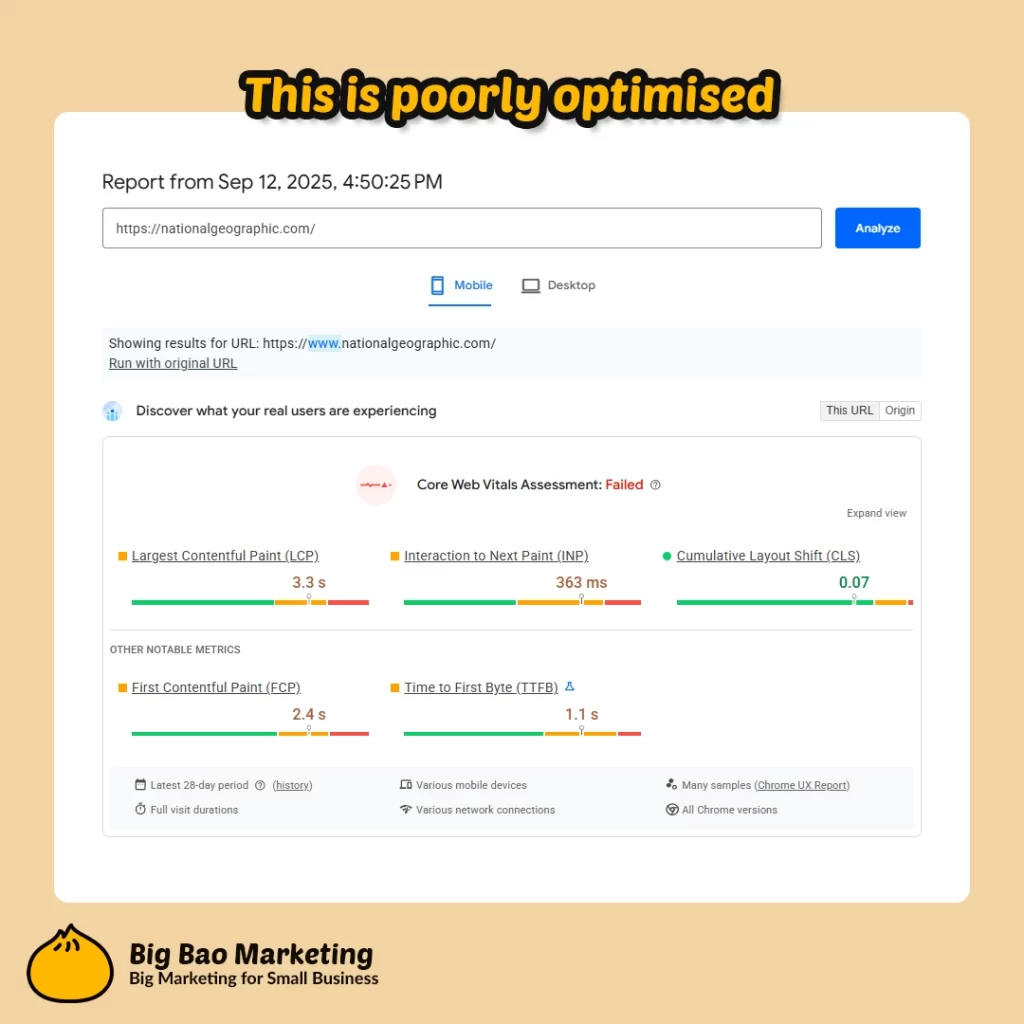
Images usually take up the biggest chunk of space when someone lands on your page. So, if those images are too large or not optimised, they can really slow things down—and that drags out the time it takes for your site’s main content to show up. In Google’s language, that’s a worse Largest Contentful Paint (LCP) score, which nobody wants.
That’s why getting your images right is one of the easiest ways to make your site load faster and feel smoother for visitors. In this post, we’ll break down the simple tools and techniques that’ll help you get your images working hard—without weighing your site down.
So whether you run a website—a café in West End, an electrician on the Southside, or a Pilates studio in Springfield Lakes—one thing hasn’t changed as we move deep into 2025: slow-loading images are still the #1 culprit when your website spins its wheels. And with Google’s algorithms now paying even more attention to site speed (thanks to those Core Web Vitals), your images could be the difference between a visitor sticking around or heading straight back to search.
When we build or audit sites for Brisbane clients, images are always at the centre of any performance conversation. Why? Because the “Largest Contentful Paint” (LCP for short) metric is often just a big photo at the top of your homepage, and if that chugs, so does your whole site’s experience.
Here’s how to get your images under control in 2025—no marketing-speak, just straightforward fixes that work.
Why Image Optimisation Still Matters
Faster loading: Slim down images for seriously quicker page loads—not just on your desktop, but on your customer’s phone in a Woolies carpark.
Better user experience: Visitors don’t want to wait; quick sites get more love and fewer bounces.
Core Web Vitals and SEO: Google now weighs your image speed in how it ranks you – faster equals friendlier, to both humans and bots.
1. Choose the Right Image Format
Don’t just upload whatever’s sitting in your downloads folder. Here’s the lowdown:
JPEG: Photos and backgrounds. Good balance of quality and size.
PNG: Crisp graphics, logos, and anything needing a transparent background.
WebP & AVIF: Modern formats that keep quality high but file sizes low. Most browsers support them now, so use these where you can!
Pro tip: For most websites, WebP is your new best friend.
2. Resize Before You Upload
Size does matter. If your template displays an image at 1200px wide, don’t upload it at 5000px. Oversized images are an invisible anchor on speed.
Use free tools like Canva or Fotor to resize before uploading.
Most WordPress sites let you crop or set sizes as you go.
3. Compress, but Don’t Destroy
Compression cuts “file flab” without ruining your visuals. Think less “fuzzy screenshot” and more “still looks sharp, but loads in a blink.”
Free tools: TinyPNG, Squoosh, or WordPress’s own Image Optimizer plugins.
Look for a tool that lets you “see before you save”—you always want to check you haven’t gone too far.
4. Make Images Responsive & Lazy Load
Not everyone visits your site with the same device. Responsive images mean your site serves a smaller size to a mobile phone while keeping things sharp on desktop.
Most page builders (Elementor, Divi, etc.) and modern themes handle this out of the box.
Lazy loading means your images only pop into view as users scroll, giving your above-the-fold content a fighting chance to load quick.
5. Add Real Alt Text & Tidy Up Metadata
Don’t ignore that “alt text” box.
Describe your image in a simple, honest sentence (“Brisbane plumber fixing a leaking tap”).
Not only is it good for accessibility, but you’ll pick up some SEO wins along the way.
Give your files actual names, not “IMG1000finalfinal.jpg.”
Want an honest look at your own site? Reach out for a chat—sometimes a little local help goes further than another blog post.
Too busy for LinkedIn but want to be seen? Here’s a practical local guide for busy Brisbane business owners to stay visible on LinkedIn—even with a packed schedule.