For Brisbane businesses, optimising for voice search is becoming less of a “nice-to-have” and more of a must-do. It’s about being found naturally, when people are on the go or need an answer fast. No tech jargon needed here, just practical steps to make sure your business is the one Siri or Alexa recommends.
7 Simple Steps to Get Found by Voice Search
1. Fix Your NAP Info Everywhere
NAP stands for Name, Address, Phone number. It sounds basic, but consistency is crucial for local SEO and voice search. If your business name, address, or phone number looks different on Google vs. Yelp vs. Apple Maps, smart assistants get confused and might skip your listing. Make sure these details are exactly the same across all platforms. Use a tool like Moz Local to check for mismatches.
2. Write Like People Actually Talk
Forget stiff, robotic sentences. People ask questions conversationally. Instead of “Operating Hours,” use “When are you open?” Instead of “Italian Restaurant Downtown,” try “What’s a good Italian place that serves pasta?” Use natural language in your website copy and FAQs. Think short sentences, clear headings, and direct answers.
3. Keep Your FAQs Short & Sweet
A well-organised FAQ section on your homepage or service pages is a goldmine for answering questions directly. Focus on one specific question per FAQ (e.g., “Do you fix heaters on weekends?”). When AI can pull a direct answer like “Yes, we offer emergency heater repair every Saturday and Sunday,” it’s gold.
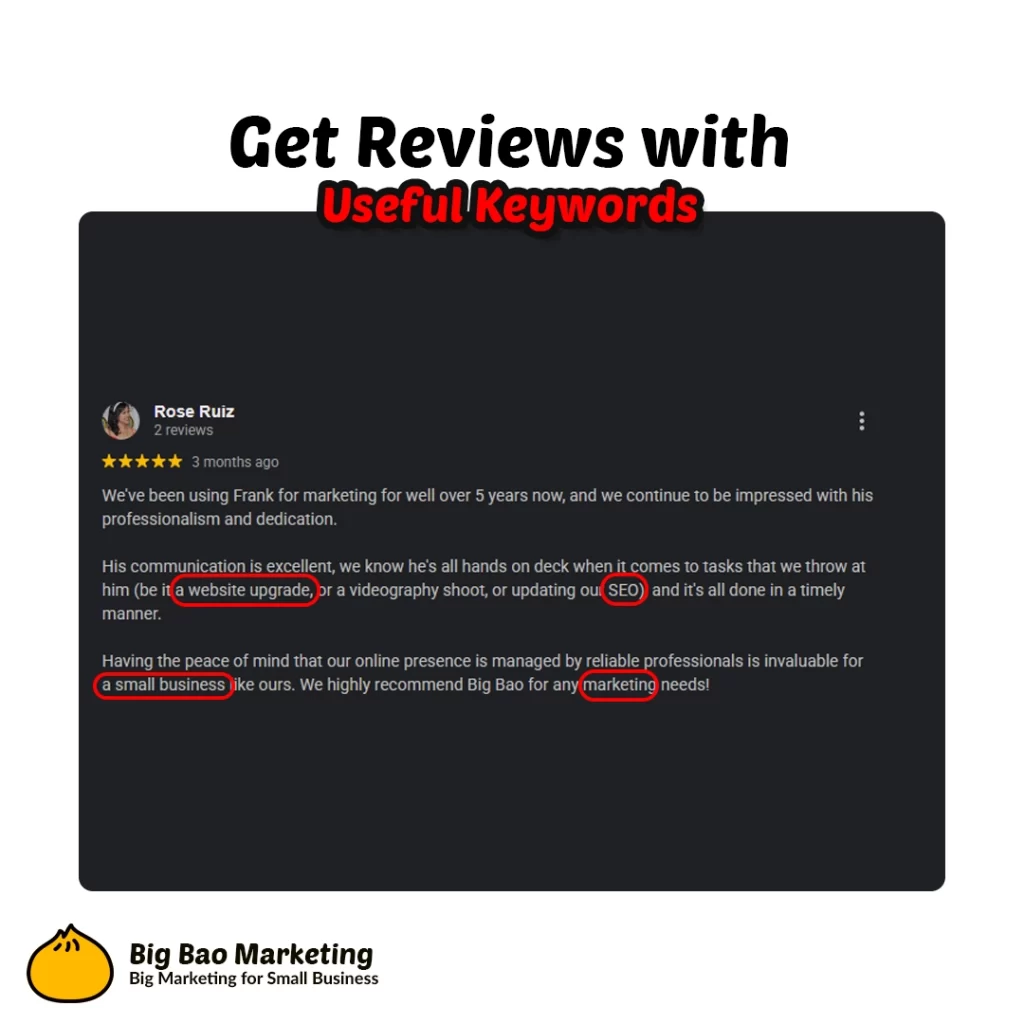
4. Get Reviews with Useful Keywords
Detailed reviews that mention specific services and locations are gold a voice assistant’s ears. Encourage customers to leave real, helpful feedback like, “Super-fast drain repair in Bondi,” or “Great physio for my back pain in South Brisbane.” These specific phrases help smart search understand what you offer.